Compared honestly · updated 2026-09-26
Lightshot uploads to a public, guessable URL. Darkroom never uploads at all.
Lightshot is fast and free, which is why two million people still use it. It is also a cloud-first tool: the default share flow puts your screenshot on prnt.sc under a short sequential URL that anyone can walk through, and deleting one means emailing support. The Chrome extension is on version 7.0.1 from July 2024, and recent reviews describe blank captures. Darkroom is the same one-click capture with the network taken out.
- Lightshot: capture, then upload by default to prnt.sc, where URLs are sequential and unauthenticated; researchers and a 571,000-image archive have shown what that means.
- Darkroom: capture, annotate and keep everything in a local library. Nothing is uploaded, there is no account, and the manifest requests no host permissions.
- Lightshot's Chrome extension has not been updated in over two years; Darkroom shipped in September 2026 and is maintained.
Lightshot vs Darkroom, side by side
| Lightshot | Darkroom | |
|---|---|---|
| Price | Free | Free; Pro $12 one-time |
| Account required | No | No |
| Where screenshots go | prnt.sc by default when you share; local copy optional | Local library in your browser only |
| Public URLs | Yes — short, sequential, no authentication | None. There is no upload |
| Deleting an uploaded shot | Email support | n/a — nothing to delete remotely |
| Permissions in the published manifest (read 26 Sep 2026) | activeTab, storage, unlimitedStorage, notifications, clipboardWrite, downloads, cookies; host access to every site (*://*/*) | activeTab, scripting, storage, unlimitedStorage; no host permissions |
| Capture modes | Region | Region, visible page, full page |
| Annotation | Pen, line, arrow, box, text, marker | Arrow, box, ellipse, text, highlight, crop; blur/redact and numbered callouts in Pro |
| Library / history | Online gallery on prnt.sc | Local, searchable in Pro, pin and rename |
| Last Chrome update | v7.0.1, 23 Jul 2024 | September 2026 |
| Browsers | Chrome, Edge, Firefox, Windows and Mac apps | Chrome, Edge, other Chromium |
Competitor facts were checked on 2026-09-26 against the sources linked below. If something has changed, tell us and we will correct it.
Where Lightshot users get hurt
Public, sequential, unauthenticated URLs
A prnt.sc link is six characters long and the IDs are issued in order. Kaspersky documented in 2021 that "anyone can see published screenshots without authentication; you don't even need a Lightshot account... the URLs are sequential." A Ukrainian tech outlet showed the same thing by changing one letter in a URL. Someone scraped 571,540 random screenshots and put them on the Internet Archive. Lightshot's own FAQ says removal is by emailing support.
"any link starting with https://prnt.sc/ and ending with 6 characters... is a valid screenshot" — r/privacy, February 2021
Sources: Kaspersky, Apr 2021 · AIN, Sep 2021 · Internet Archive dump · Lightshot FAQ on removal
Blank captures on a build that is two years old
The Chrome extension is version 7.0.1, published 23 July 2024. Reviews through 2026 describe empty results.
"often takes blank screenshots now. And you cannot see they are blank until uploading." — Chrome Web Store, July 2026
"Recent updates leave blank, unusable spaces around the perimeter of the screen." — Chrome Web Store, July 2026
Sources: Chrome Web Store listing and reviews
Host access to every site, plus cookies
Lightshot's manifest asks for access to every URL and for the cookies permission. That is broader than a capture tool needs; Darkroom captures the tab you are on with activeTab and requests nothing site-wide.
Sources: Hacker News, Jan 2026: "Lightshot is a cloud-first screenshot tool"
What Darkroom does instead
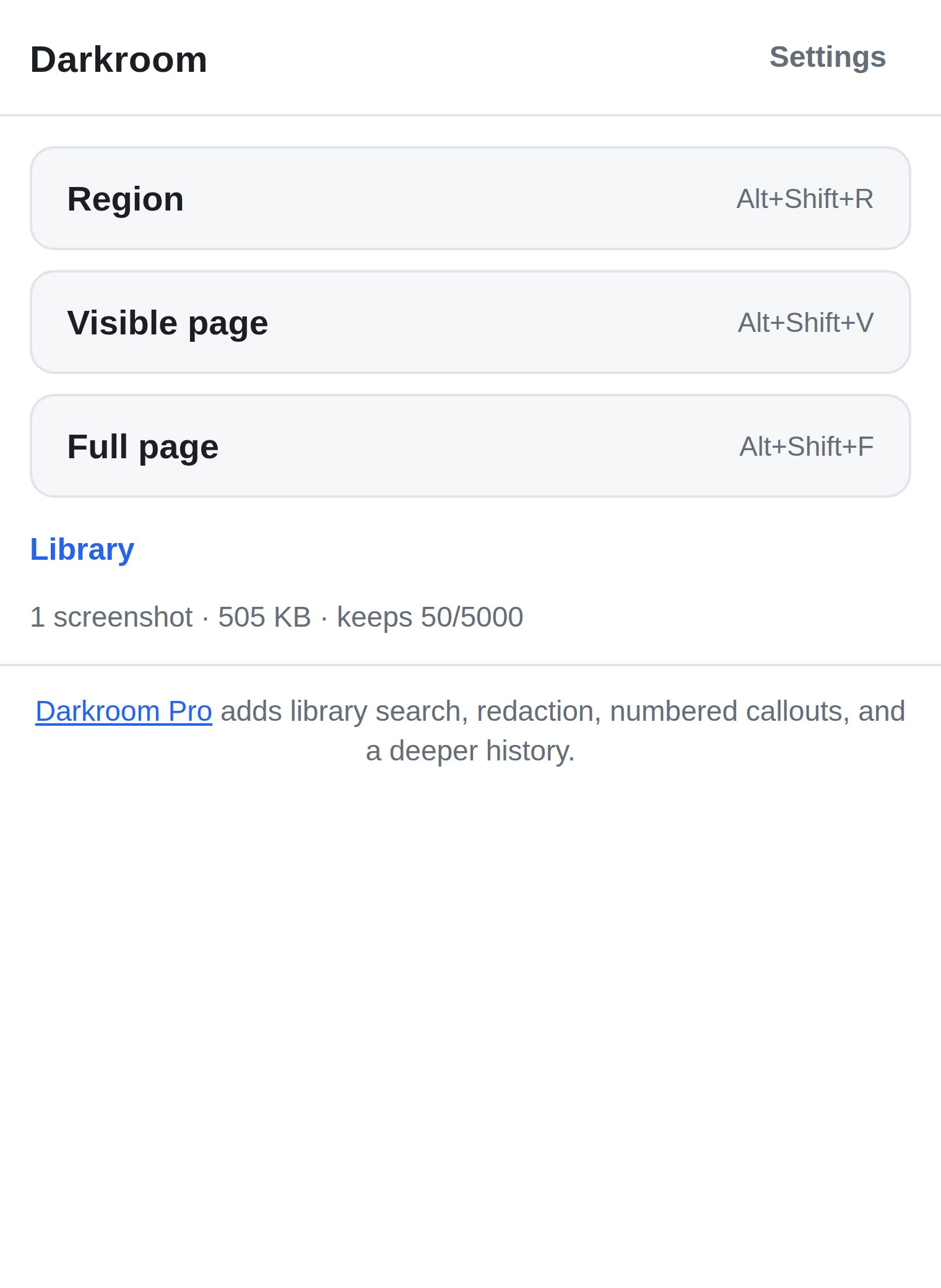
Darkroom captures a region, the visible page, or the whole page stitched as it scrolls, then opens an editor for arrows, boxes, ellipses, text, highlights and crops. Copy the result to the clipboard or save it as a PNG. Every capture lands in a local library kept in your browser's own storage: browse it, pin what matters, rename things. The free library keeps your last 50 captures; Pro keeps 5,000, adds blur and redact for the sensitive bits, numbered callouts, PDF export, and search.
There is no upload path in the code. The manifest requests activeTab, scripting, storage and unlimitedStorage, and no host permissions. Exporting your own screenshots is free forever.
To be fair to Lightshot
Lightshot's whole point is the instant share link, and if you want a URL to paste into a chat, Darkroom does not give you one; you copy the image or save the file. Lightshot also has desktop apps for Windows and Mac and a Firefox extension. If sharing publicly is the job and the content is not sensitive, Lightshot is quicker.
Try Darkroom
Free on the store. No account, no server, nothing uploaded. Pro is a $12 one-time purchase, sold through Paddle, and plain export of your own data is never paywalled.
Install from the Chrome Web Store Install from Edge Add-ons Read how Darkroom works
Questions people ask
- Does Darkroom give me a shareable link?
- No. There is no server to host one. Copy the image to your clipboard or save the PNG and share it however you already share files.
- Can Darkroom capture a full page like Lightshot?
- Yes, and Lightshot cannot: Darkroom captures a region, the visible page, or the full page stitched as it scrolls.
- What does Darkroom do with the activeTab and scripting permissions?
- activeTab lets it capture the tab you clicked in, only at that moment. scripting injects the region-selection overlay and the full-page scroll driver when you start a capture. Neither gives it standing access to any site.
- What is in Pro?
- Blur and redact, numbered callouts, PDF export, library search and a 5,000-capture library. $12, one time, through Paddle. Export of your own screenshots is never paywalled.