Compared honestly · updated 2026-09-26
Nimbus Screenshot is now FuseBase. If you came here looking for the old tool, this is the way out.
Nimbus Screenshot was a million-user capture extension. Its original listing has been renamed and delisted, and the current product, FuseBase Capture, sits behind a sign-in and a workspace subscription that starts at $32 a month, with reviews describing features that used to be free now locked and no self-service way to cancel. Darkroom does the capture-and-annotate part locally, with no account, for free.
- Nimbus Screenshot's original Chrome listing (1,000,000 users) was renamed and is no longer available; the successor has 10,000 users and a 3.6 rating.
- FuseBase Capture routes you to sign in; plans start at $32/month; reviews describe full-page capture moved behind the paywall and no way to cancel auto-renewal.
- Darkroom: no account, no server, capture and annotate free, Pro $12 once. Manifest requests four permissions and no host access.
Nimbus Screenshot vs Darkroom, side by side
| Nimbus / FuseBase Capture | Darkroom | |
|---|---|---|
| Price | Free tier behind sign-in; platform plans from $32/month (Solo) | Free; Pro $12 one-time |
| Account required | Yes | No |
| Where screenshots go | FuseBase cloud workspace | Local library in your browser |
| Permissions in the published manifest (read 26 Sep 2026) | scripting, downloads, tabs, activeTab, storage, unlimitedStorage, contextMenus, desktopCapture, tabCapture, clipboardWrite, identity, system.display, offscreen; host access to all URLs | activeTab, scripting, storage, unlimitedStorage; no host permissions |
| Capture modes | Region, visible, full page, video | Region, visible page, full page |
| Annotation | Yes, in the cloud editor | Arrow, box, ellipse, text, highlight, crop free; blur/redact and callouts in Pro |
| Video recording | Yes (5 minutes on free) | No |
| Cancellation | Reviews report no self-service cancellation | Nothing to cancel; one-time purchase |
| Store rating | 3.6 (37 ratings) on the current listing | New in September 2026 |
| Browsers | Chrome, Edge, Firefox | Chrome, Edge, other Chromium |
Competitor facts were checked on 2026-09-26 against the sources linked below. If something has changed, tell us and we will correct it.
Where Nimbus Screenshot users get hurt
The listing you installed is gone
The original Nimbus Screenshot extension ID, with a million users and 17,000 ratings, was renamed "Nimble Capture" and last updated in September 2024; the Chrome Web Store now returns nothing for it. The current capture product is "FuseBase Pro - Capture screenshots and Video record" with 10,000 users and a 3.6 rating.
Sources: extpose record of the original listing · Current FuseBase Capture listing
Sign in first, then pay for what used to be free
The product page routes "Get started for free" to a login. Pricing shows workspace plans from $32 a month; no capture-only price is displayed.
"Almost all features that used to be FREE is now locked behind a paywall...classic bait and switch." — Chrome Web Store, May 2025
"locking Entire page capturing behind a paywall is ridiculous!" — Chrome Web Store, June 2025
Sources: FuseBase screenshot page · FuseBase pricing · Reviews (extpose mirror)
Trying to leave
"After rebranding to FuseBase, the website removed all self-service cancellation controls. Users cannot stop auto-renewal themselves." — Trustpilot, January 2026
"DO NOT SIGN UP FOR A PAID PLAN!... there is no option to cancel the auto-renewal" — Firefox Add-ons review
Trustpilot shows a 3.0 TrustScore across 283 reviews for Nimbus Web.
Sources: Trustpilot, Nimbus Web · Firefox Add-ons reviews
What Darkroom does instead
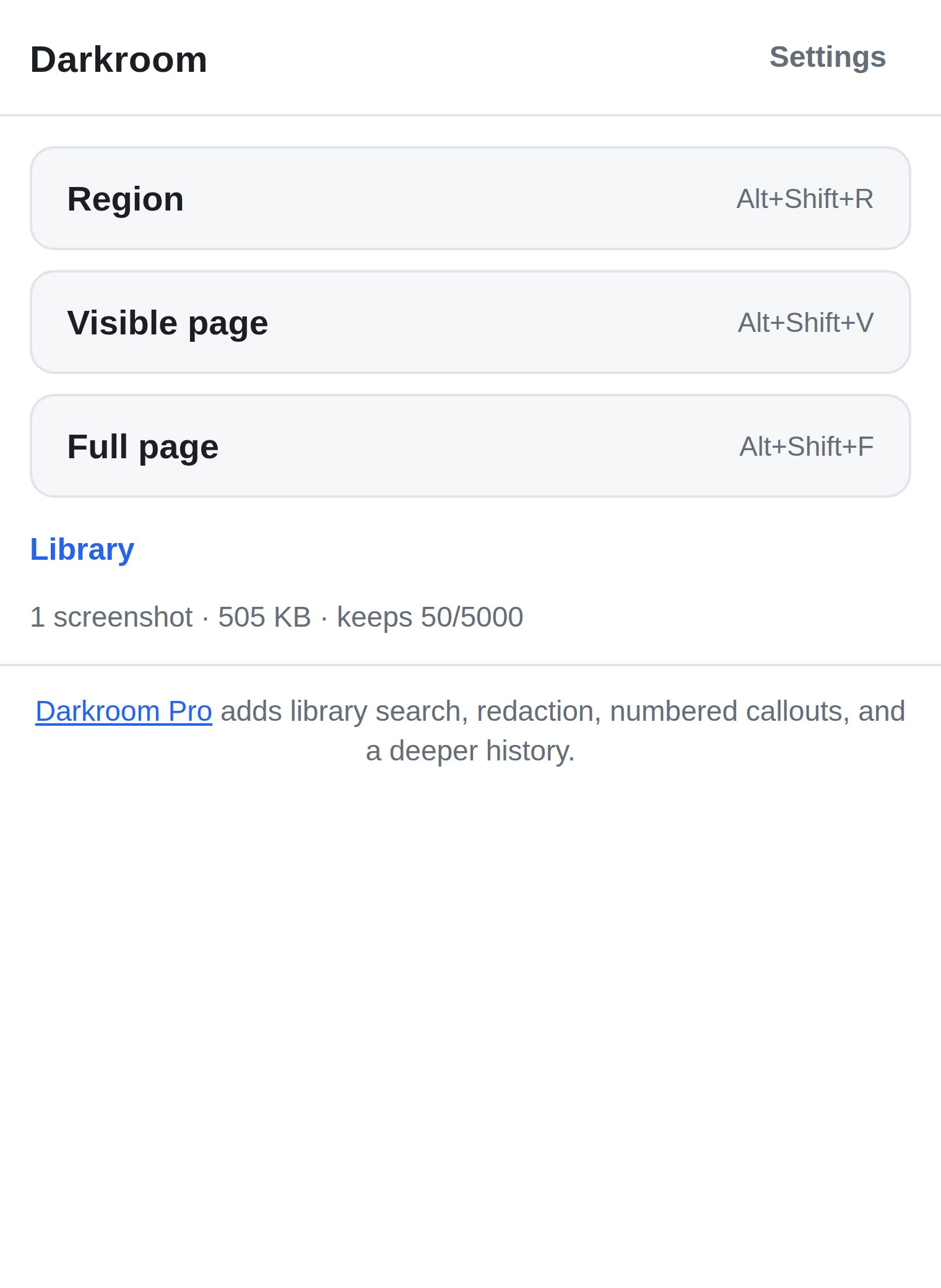
Darkroom captures a region, the visible page, or the full page, and opens a local editor: arrow, box, ellipse, text, highlight, crop. Copy or save as PNG. Everything lands in a local library in your browser's own storage. There is no sign-in because there is no server. The free library keeps 50 captures; Pro keeps 5,000 and adds blur/redact, numbered callouts, PDF export and search for $12, once.
The manifest requests activeTab, scripting, storage and unlimitedStorage, with no host permissions. Nothing is uploaded, and export of your own screenshots is free forever.
To be fair to Nimbus Screenshot
FuseBase is a team knowledge platform, and screen capture is one piece of it: video recording, cloud editing, sharing and collaboration are things Darkroom does not do. If you need screen recording or a shared workspace and you are willing to run a subscription, FuseBase is a different category of product. Darkroom replaces the old Nimbus Screenshot, not FuseBase.
Try Darkroom
Free on the store. No account, no server, nothing uploaded. Pro is a $12 one-time purchase, sold through Paddle, and plain export of your own data is never paywalled.
Install from the Chrome Web Store Install from Edge Add-ons Read how Darkroom works
Questions people ask
- Does Darkroom record video?
- No. Darkroom is a screenshot tool: capture, annotate, keep locally. Video is out of scope.
- Can I get my screenshots out of FuseBase into Darkroom?
- Darkroom can only capture what is on your screen, so download your images from FuseBase while your account is active and keep them wherever you like. Darkroom's library imports its own exports.
- Is there anything to cancel with Darkroom Pro?
- No. Pro is a one-time $12 purchase through Paddle. There is no renewal.
- Does Darkroom need an account?
- No. There is no account, no server and no sign-in. A Pro licence is a key you paste in, verified offline.