Chrome crashes. Updates roll out. Profiles get wiped.
Your fifty open tabs should not depend on none of that happening.
Backstop saves your browser sessions as versioned, verified local snapshots — so a bad restart costs you nothing. It's free to use, the plain export you'd need to walk away from it is free forever, and it never phones home.
Manifest V3 · Chrome 116+ · No account, no server, no tracking.
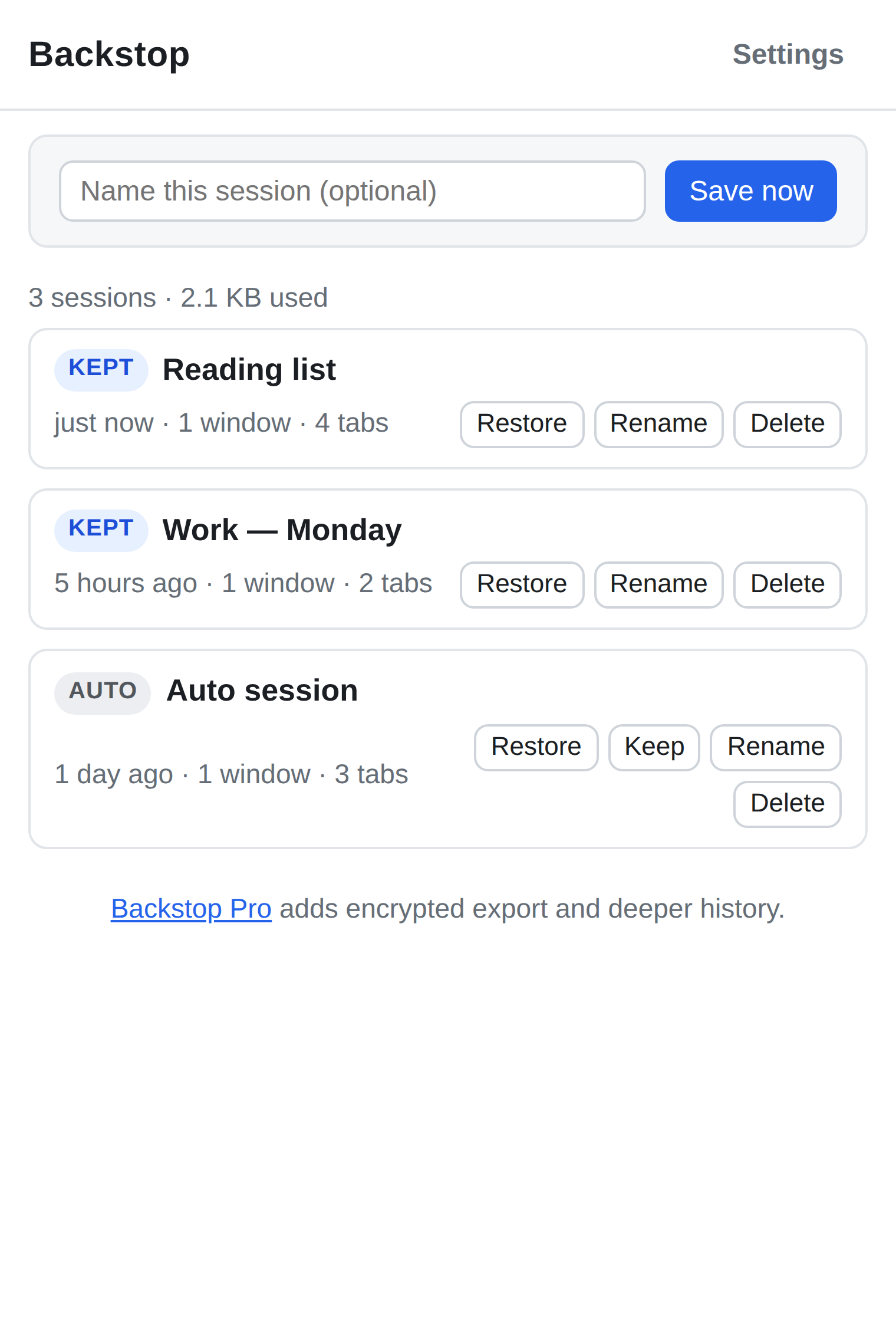
How it actually works
Not marketing language — this is the literal write path, because a backup tool's promise is only as good as its mechanism.
-
Append-only writes
Every save — manual or automatic — is written under a brand-new key. Nothing already on disk is ever overwritten or mutated in place. A bad write can only fail to add a snapshot; it cannot corrupt an old one.
-
Verify after write
After a snapshot is written, Backstop reads it back and recomputes its checksum before the index is allowed to reference it. If the readback doesn't match, the snapshot is discarded and you're told — never silently trusted.
-
An index that rebuilds itself
The list of your snapshots is just a convenience cache. If it goes missing or won't parse, Backstop rebuilds it from scratch by scanning every snapshot actually stored — because losing the index must never mean losing the snapshots underneath it.
-
Pruning happens last, and never below the floor
Old automatic snapshots are only ever removed after a newer one has been durably written and verified — never before. Anything you mark to keep is never auto-pruned, at any retention level.
-
A full disk is reported, not "fixed"
If Chrome's storage quota is hit, Backstop surfaces the error and stops. It will not free space by quietly deleting your history — that would defeat the entire point.
Encrypted export, for Pro
Pro's encrypted export uses AES-256-GCM with a key derived by PBKDF2-SHA256 at 310,000 iterations (current OWASP guidance) from a passphrase you choose. The exported file is self-describing — it carries its own salt, IV, and format version — so it can be decrypted years from now with nothing but the passphrase and the algorithm, whether or not Backstop, or we, still exist. Your passphrase never leaves your device; we have no way to recover it if you lose it.
Pro licences don't phone home either
A Backstop Pro licence is a small signed key that the extension checks entirely on its own, offline, using public-key verification. It never contacts a server to validate a purchase — not at activation, not afterward. That's a deliberate trade: we can't detect a copied key, but "we never talk to a server, so we cannot see your tabs" is a claim we'd rather keep true unconditionally than dilute with a phone-home check.
Free vs Pro
Free is a complete, non-expiring backup tool on its own. Pro adds depth and convenience — never access to your own data.
| Feature | Free | Pro |
|---|---|---|
| Manual save & restore | Included | Included |
| Automatic snapshots retained | Last 10 | Last 200 |
| Plain JSON export & import | Included, forever | Included, forever |
| Encrypted export (AES-256-GCM) | — | Included |
| Search across snapshot history | — | Included |
| Price | $0 | $12 one-time |
Plain export will always be free
Not "free for now" — free on principle, for the life of the product. Part of why Backstop exists is that people have watched other tools relock features they already depended on, after they'd already built a workflow around them. Holding your own sessions hostage behind a licence would be the exact same move. Pro sells convenience and depth on top of your data. It will never sell you the exit door.
What we can honestly say instead of "trusted by thousands"
Backstop is pre-launch. There are no users yet, so there are no reviews, no install counts, and nothing here is going to pretend otherwise. Here is what we can state precisely, because it's true of the code today:
-
Everything Backstop saves lives in
chrome.storage.local, on your machine, inside your Chrome profile. There is no Backstop server that session data is sent to — because there is no Backstop server, full stop. - The extension has no network permission for your browsing and makes no network requests with your session data. There is no analytics SDK, no telemetry, no crash reporter, no tracking pixel.
- We — the people who make Backstop — cannot see your saved sessions. Not "we don't look." There is nowhere for them to arrive.
- The one thing that does leave your machine is a Pro purchase, handled entirely by Paddle as the seller of record. See the privacy policy for exactly what that involves.
Get Backstop
Backstop is not yet listed on the Chrome Web Store — this page is going live ahead of that listing being approved. Once it's live, the button below will link straight to it.
Chrome Web Store listing — coming soon
Pro licences go on sale through Paddle at the same time.
FAQ
- Does this back my sessions up to the cloud?
- No. Everything is stored locally, in your browser's own extension storage. Backstop has no cloud component at all. If you want a copy off your machine, use export — plain or encrypted — and put the file somewhere of your choosing.
- If snapshots are "never lost," what happens when I uninstall the extension?
- Chrome deletes an extension's local storage when you uninstall it — that's standard Chrome behavior, not something Backstop can override. "Never lost" describes what happens to snapshots while Backstop is protecting them: no silent corruption, no auto-deletion to make room, no partial writes. It doesn't survive you removing the extension or your Chrome profile. Export a copy first if you're uninstalling, switching machines, or resetting your profile.
- How is this different from Chrome's own tab/session sync?
- Chrome sync carries your current tabs to another device; it isn't versioned and doesn't protect you from a bad session overwriting a good one. Backstop keeps a retained history of past snapshots, each one checksummed and verified, that you can browse and restore from independently of what your current tabs look like.
- Can I read a plain export without Backstop?
- Yes. It's ordinary JSON — readable in a text editor, diffable, greppable, and importable by anything you write yourself.
- Can I read an encrypted export without Backstop?
- Yes, in principle. It's a documented envelope — standard AES-256-GCM with PBKDF2-SHA256 key derivation, plus the salt, iteration count, and IV needed to decrypt it — so anyone with the passphrase and a general-purpose crypto library can recover it, even if Backstop no longer exists.
- Does buying Pro create an account somewhere?
- No account with us. Paddle handles the purchase and email delivery of your licence key. The extension verifies that key's signature locally and never checks in with a server afterward — so we don't know when, where, or how often you activate it.
- What Chrome version do I need?
- Chrome 116 or newer, on the standard Manifest V3 extension platform.
- Is the Pro price final?
- Yes. $12, one-time, sold through Paddle. No subscription, no early-bird games, no countdown timers.